Customer Agent Workplace Redesign
Building an end-to-end AI-enhanced internal support system for KuCoin — redesigning the core workspace for 200+ agents, introducing contextual AI assistance, and rescuing a broken MVP in two weeks.

Building an end-to-end AI-enhanced internal support system for KuCoin — redesigning the core workspace for 200+ agents, introducing contextual AI assistance, and rescuing a broken MVP in two weeks.
The Agent Workplace is the central workspace where KuCoin customer support agents handle inbound issues. It combines live chat, ticketing, user data, operational tools, and AI assistance in one high-volume environment — replacing third-party tools like Zendesk and Ada with a purpose-built system tailored to crypto-specific operations.
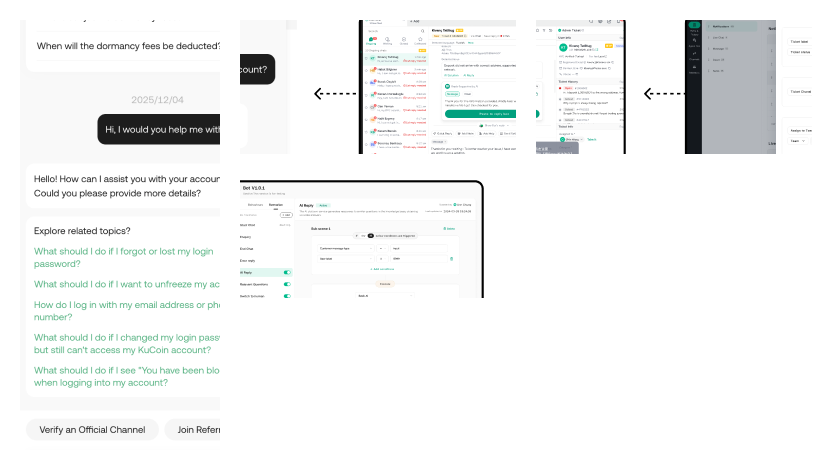
The KuCoin customer support ecosystem: three interconnected back-end systems power the KuCoin Support chat experience. This case study focuses on the Agent Workplace.
01 · BackgroundAs KuCoin scaled, customer service ran on expensive third-party tools that couldn't cover crypto-specific workflows — verifying KYC status mid-ticket, cross-referencing transaction holds, or surfacing compliance flags while an agent is actively responding.
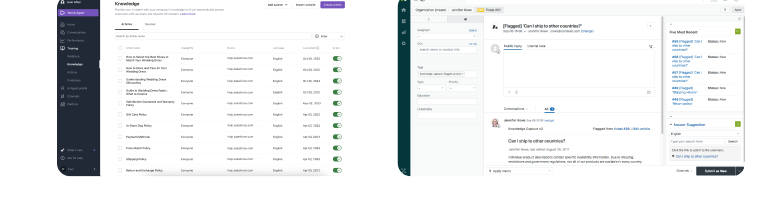
The legacy stack: Ada for chatbot configuration and Zendesk as the agent workplace — both replaced by purpose-built internal tools.
02 · My roleWith 3.5 designers responsible for four systems and a shared design system — all 0→1 in 1–2 months — I stepped in to own the Agent Workplace rescue when the initial MVP failed usability testing.
Beyond the rescue sprint, this project demonstrates the range of skills I bring to complex B2B product work — from AI feature design to team leadership under pressure.
Customer support ecosystem — three interconnected systems designed for different user groups but sharing a consistent interaction model.
Led 2–3 designers to deliver 5 interconnected systems in 3 months, while personally owning the highest-urgency rescue sprint.
Guided by Ant AI Design Guidelines and competitive benchmarking, both features follow the principle that AI in enterprise contexts must be contextual and timely — supporting the agent's judgment, not replacing it.
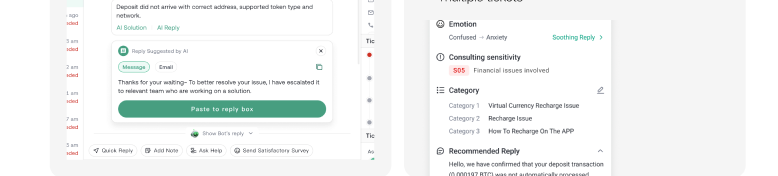
AI Reply Suggestions surface draft responses in the chat area; the AI Summary Panel consolidates emotion, sensitivity flags, category, and recommended reply at the top of each ticket.
04 · Key challengeNo surveys, no hypothetical scenarios — just real agents trying to use real software. I ran live observation sessions with 5 agents using the existing MVP prototype, watching 2–3 agents per session and mapping confusion points, dead-ends, and workarounds.
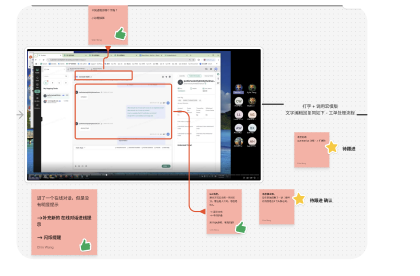
Observation notes mapped directly onto the MVP prototype — each annotation became a targeted redesign.
06 · Findings & redesignThree findings accounted for almost all the friction agents experienced. Each became a focused redesign shipped within the 2-week sprint.
80% of agents didn't realise they had to claim a ticket before they could reply. The claim action was buried under tabs, scrolling, and a tiny link — agents got stuck at the very first step, unable to respond to customers.
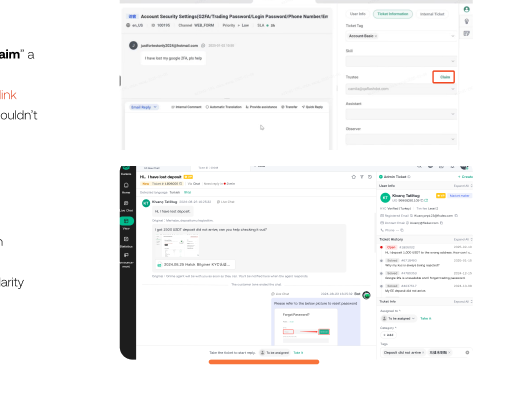
Before: claim action buried in a side panel. After: "Take the ticket to start reply" blocks the input until claimed.
Ticket details, user profile, and case history were hidden in tabs — agents had to jump around to find critical details while composing replies. High-volume agents handling dozens of tickets per shift found this cognitively exhausting.
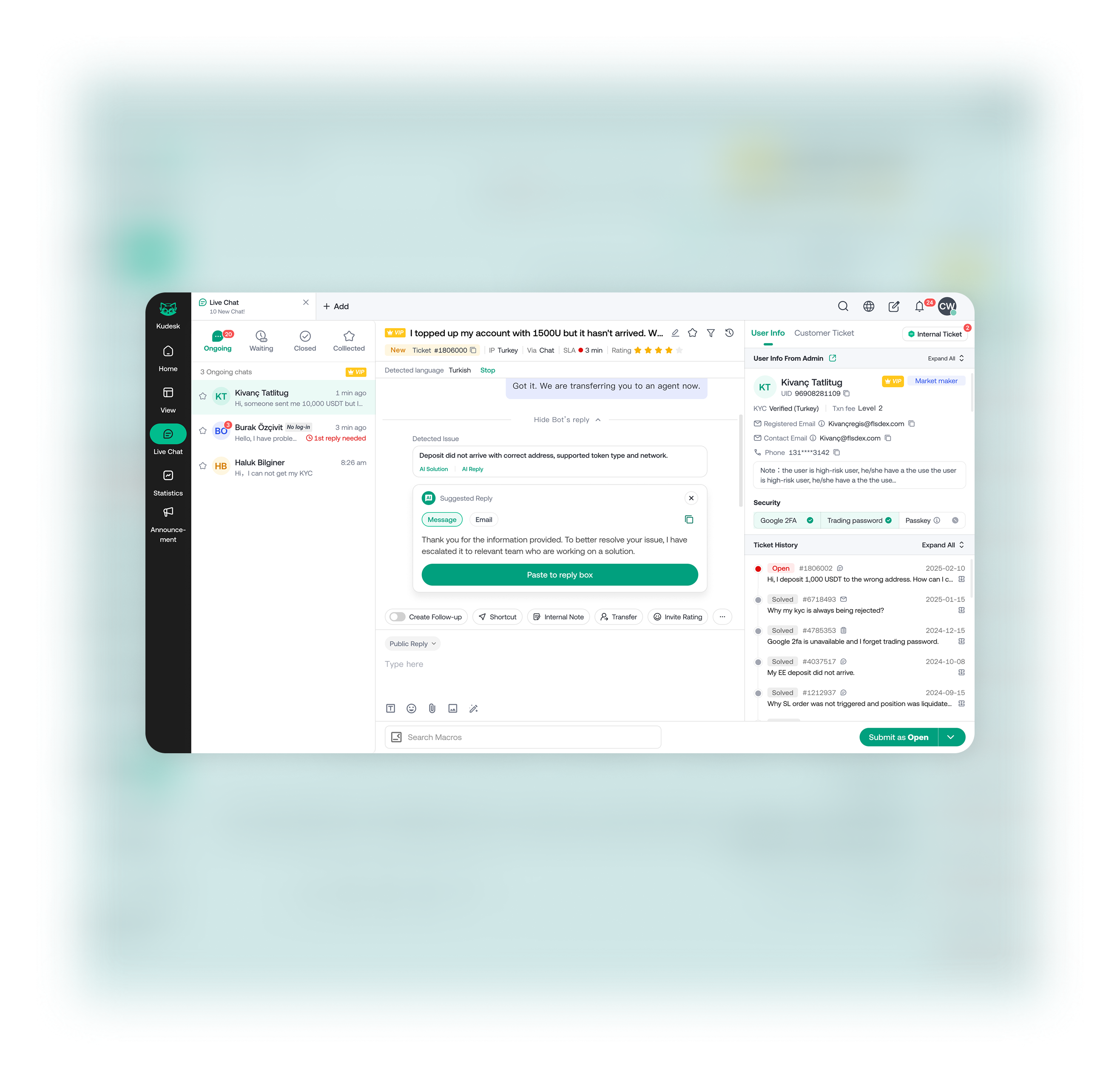
Before: fragmented tabs. After: User Info, Ticket History, and Ticket Info stacked in a scannable right column.
Internal Notes, Quick Replies, and Translation were represented by tiny nested icons. Zero agents discovered them without being told — despite these being among the most-used operations in a full shift.
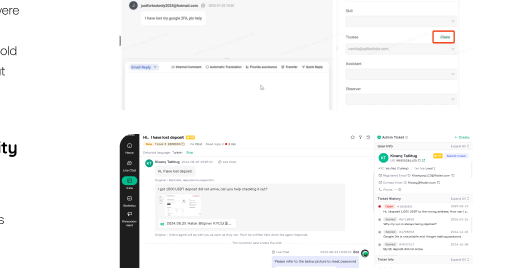
Before: invisible icon-only tools. After: labelled action buttons positioned above the reply area.
Before handing off to engineering, pilot agents confirmed the redesign addressed the core pain points:
The redesigned solution was prepared for rollout to a 20-agent team for testing. Before full rollout, the team was restructured and I shifted to a customer-facing project — but the design work became the baseline for future iteration.
Both AI features only work because they're tied to real-time task context — the ticket content, not generic model outputs. AI Reply Suggestions reduce typing and errors; the AI Summary Panel detects emotion and issue type to recommend next steps. The Ant AI Design Guidelines principle of "contextual and timely" held up in testing.
Skipping validation on the original MVP created a design that had to be substantially rebuilt. Two weeks of observation after the fact was more expensive than one week before the MVP shipped. Real user observation is the fastest path to clarity.
Pairing a designer with strong interaction logic skills on the claim-flow problem, and a designer with strong visual execution skills on the information architecture — rather than splitting work arbitrarily — significantly reduced rework cycles.
When the MVP failed usability testing, the response wasn't a longer timeline — it was stepping in, reframing the journey, and shipping targeted fixes within the existing dev deadline. Leadership here meant unblocking the team, not managing it from a distance.