Qin.W
54wangqin1995@gmail.com


54wangqin1995@gmail.com
Designing core portfolio-analysis experience to scale solution
// 1 months | Product Design Design
// 3 Designer + 1 PM + 3 Front-End Engineers
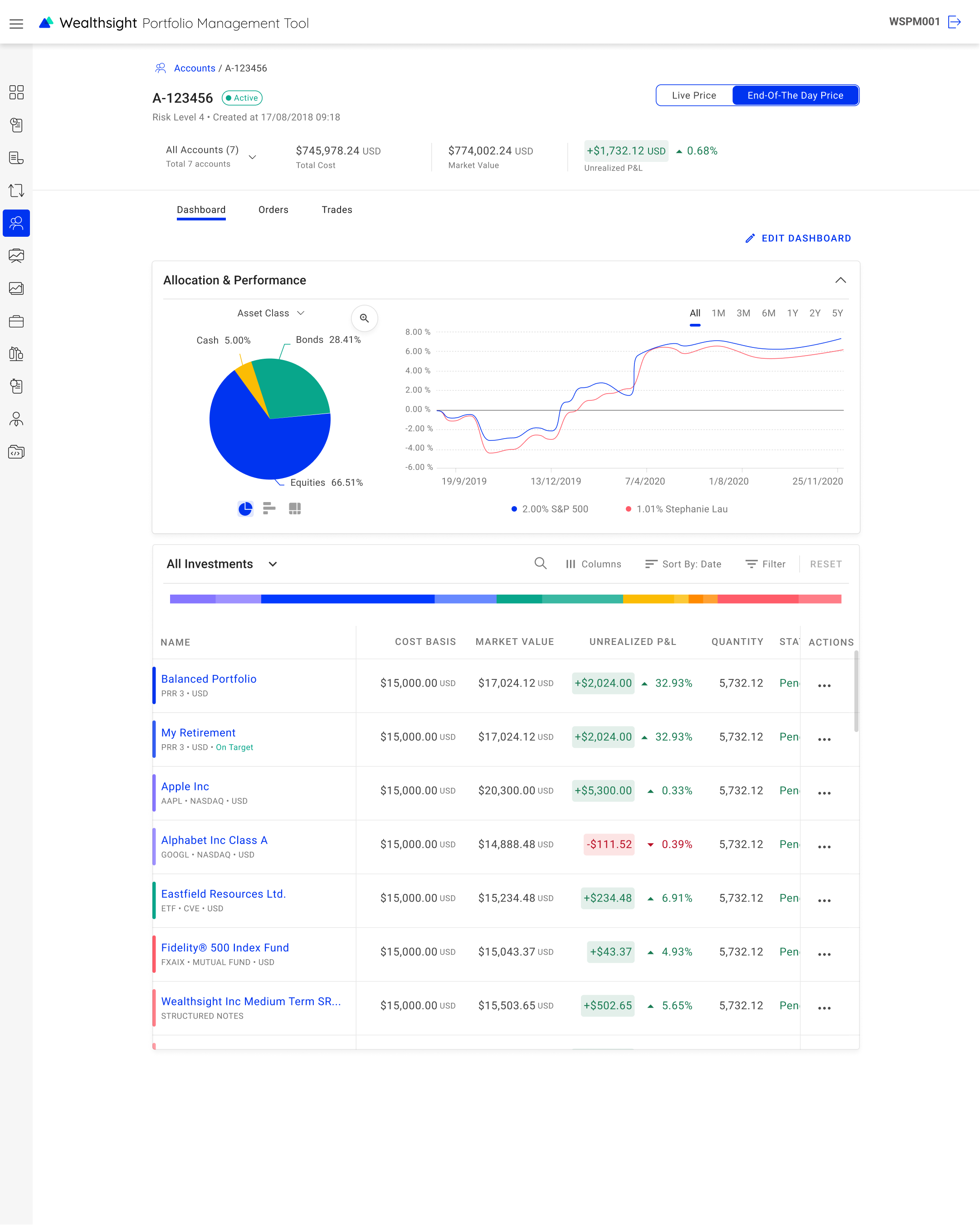
The user account dashboard is an interface module shared between 3 systems :
. . . . 🏦 Portfolio managers assess their investment performance on the page in the portfolio management system.
. . . . 👩💼 Financial advisors engage clients with their clients' portfolio allocations on the page in the financial advisor system.
. . . . 💁♀️ Individual investors can add or modify their personal investment portfolios on the page via white-labeledcustomer-facing applications (e.g.bank app).

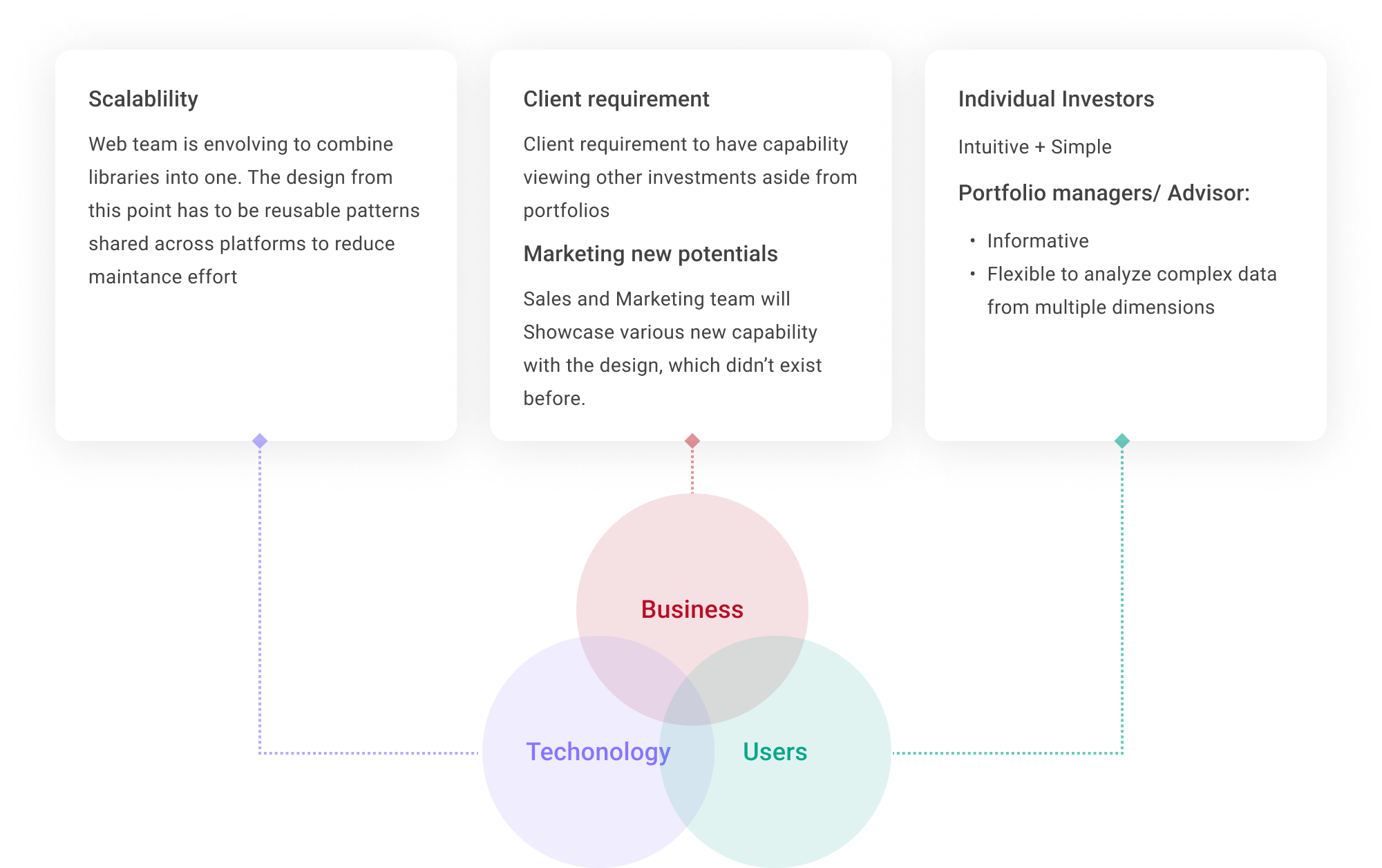
// Incorprate multi-faced requirements from clients, business value, user experience and technical strategy perspectives.
// Define a shared design pattern that fit into three different journeys: portfolio management tool, financial advisor and customers.
// It is challenging for three designers to agree on one design pattern. Because enterprise users and customers can have totally different goals and focus, this could lead to opposite designs. E.g. to show or hide certain features depends on the frequency of use.
due to timeline to shift the feature to clients, also, some of them are concepts for marketing pitch, which means we have no existing users ask for it, we have limited knowlege and resources to understand users' needs and mental model
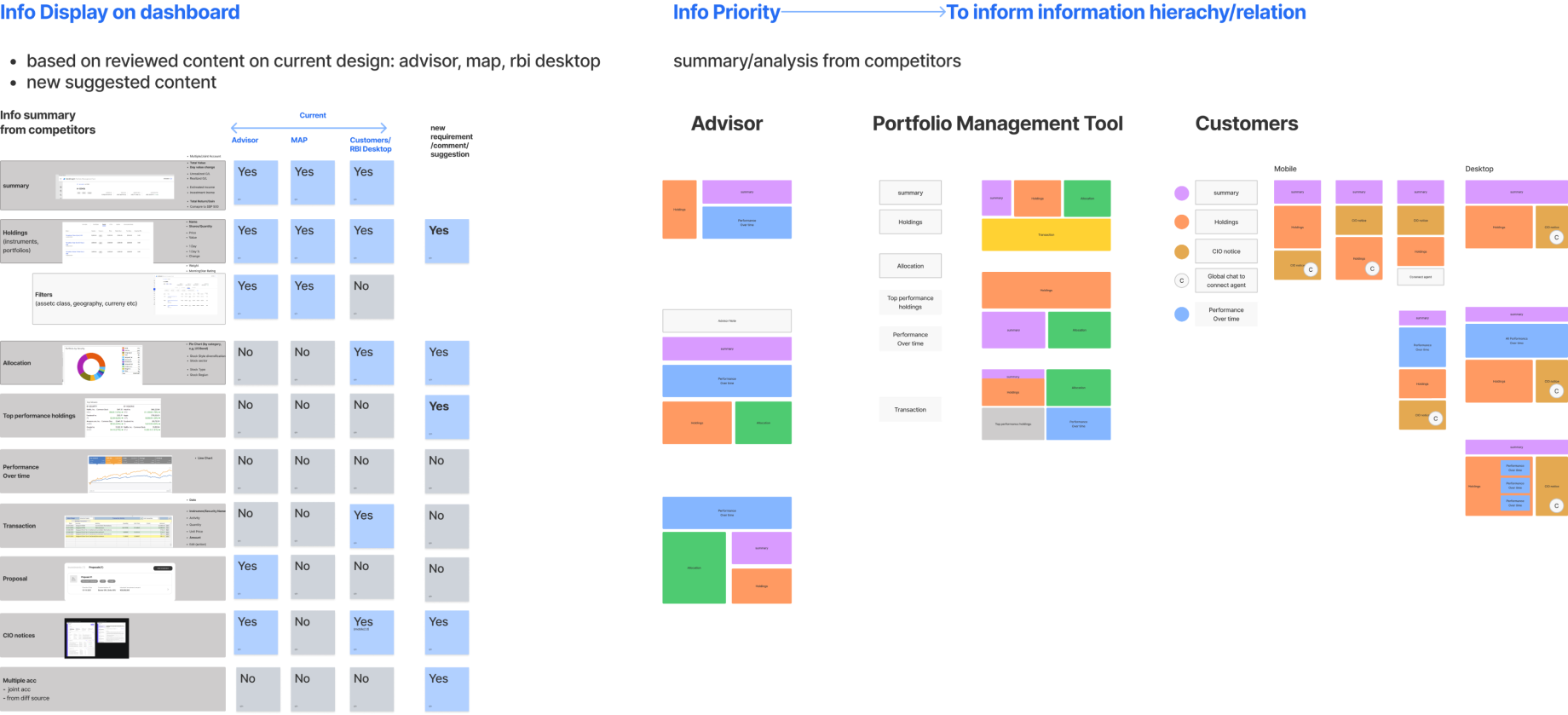
With the design team, I lauched desktop research and workshop to extract the common modules that all customer, advisor tool and management tools have. Based on the result, we’re able to define what structure and modules to have in the first fold of the screen, and documented the differences between customer and investment professional tools.
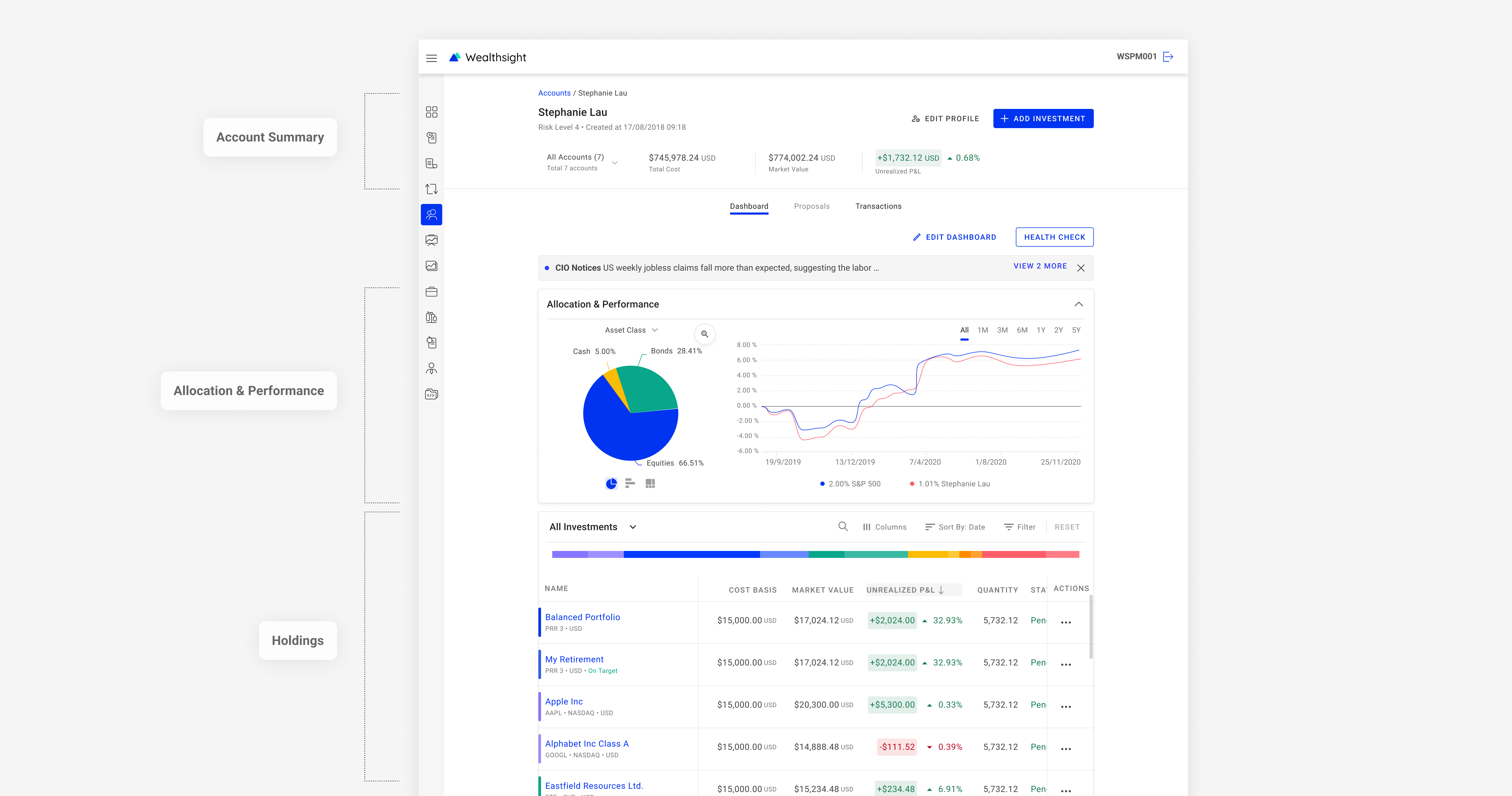
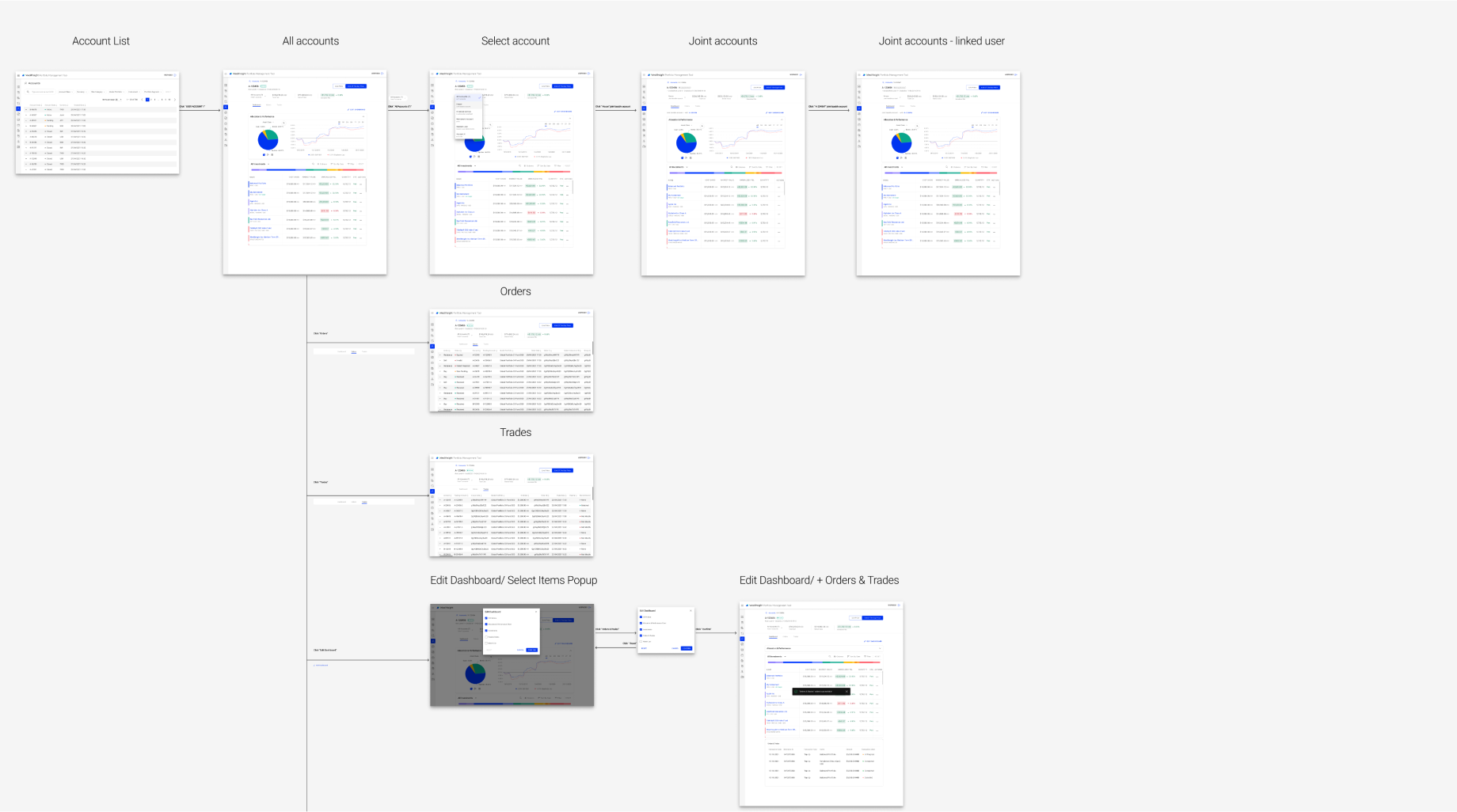
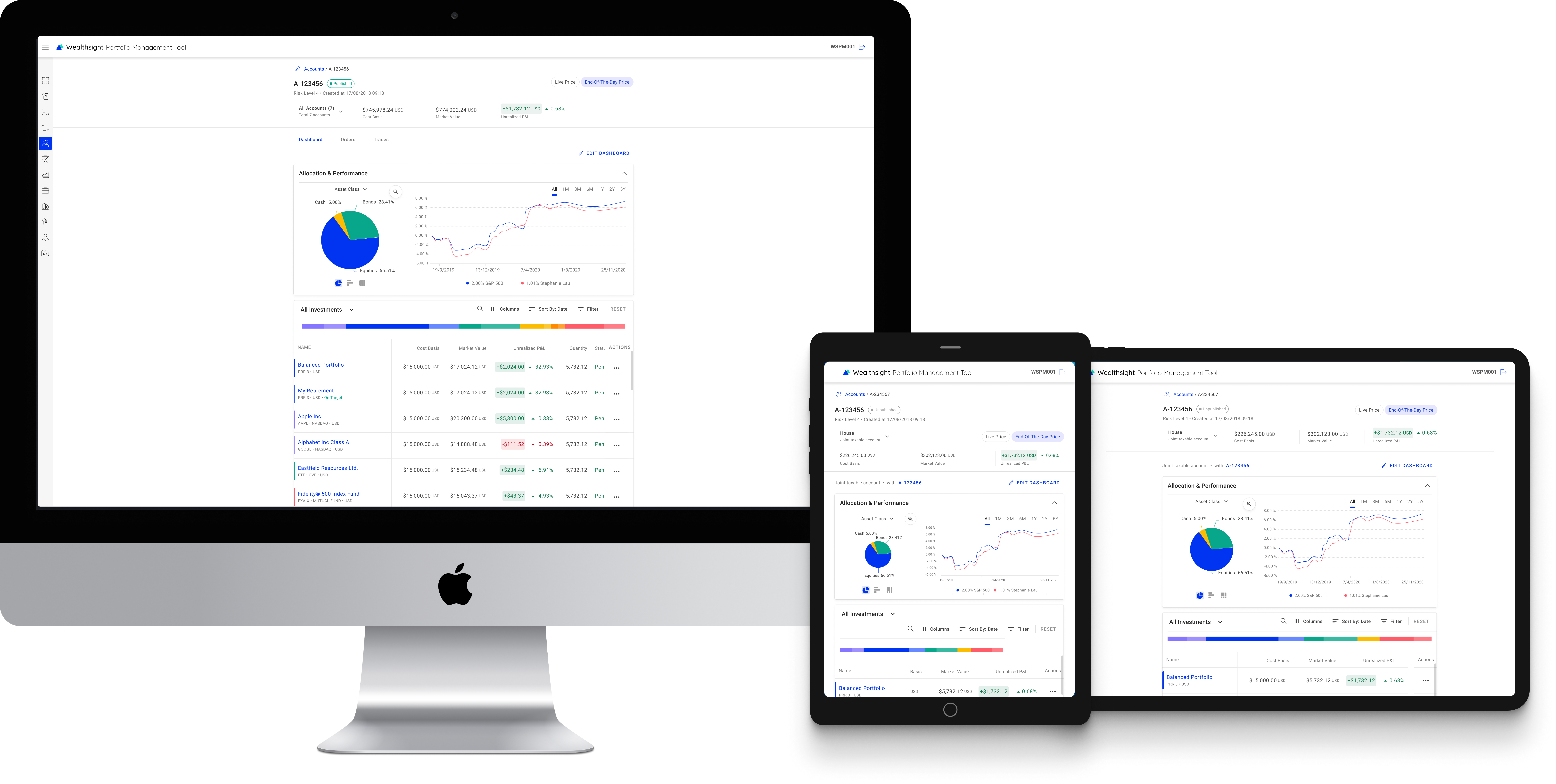
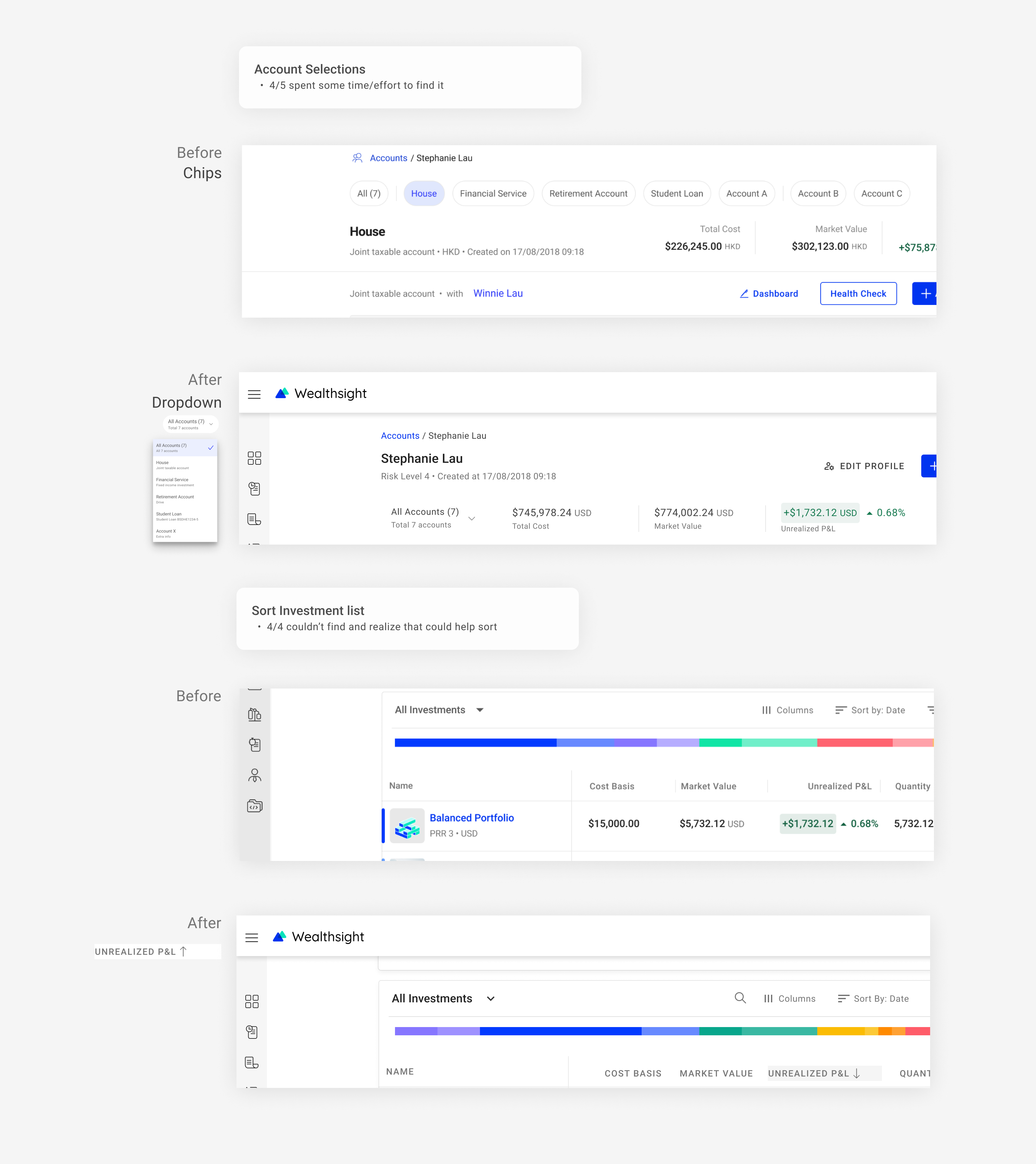
To make sure there’s no basic usability problems within short period of time, I ran cognitive walkthrough with 5 collegues to find out how easy it is for user to complete the pre-defined tasks with the concept design.
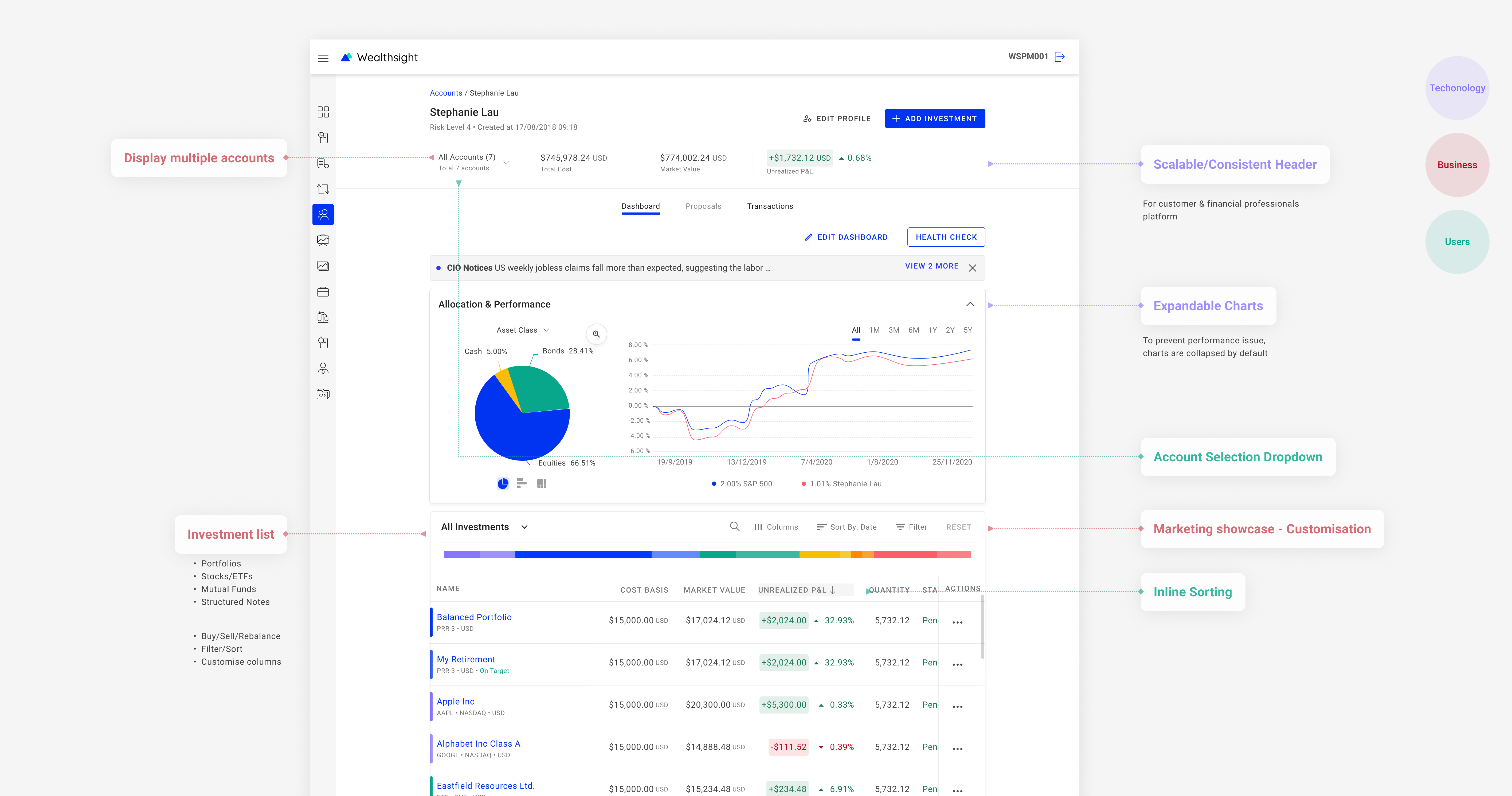
Create concept design and prototypes to validate our ideas.
Unable to define use scenarios without thoroughly analysis of first-hand data at early stage --> what information to include?
--> Desktop research
Introduced new design patterns, might be hard to anticipate most technical issues that may need design update
--> Be open to design iterations
Not able to solidly validate design with real target users
--> cognitive walkthrough
To expand the dashboard feature to financial advisors, I proposed a user research plan to better understand advisors' needs and pain points when managing clients' portfolios. The research will help us identify key features and functionalities that should be included in the advisor tool.